

Do you find it annoying when you login to your WordPress site and get greeted with a notice to verify your admin email? WordPress, includes a feature that prompts site administrators to verify their admin email address periodically.
Email Verification
This email verification alert is intended to check that the email address linked with the administrator account is current and legitimate. This security technique tries to prevent unauthorised access to the website while still preserving the administrative control’s integrity.
WordPress originally planned to display the email verification message every six months. However, some website owners believe that this function is superfluous and that it is more of an irritation than a helpful security tool. The reasons for this point of view differs from person to person.
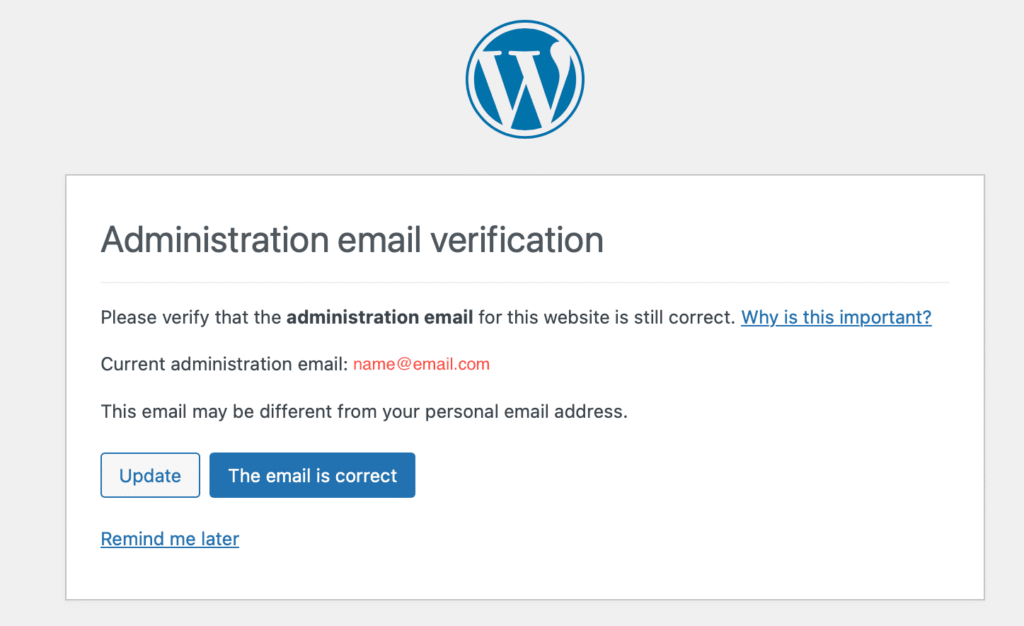
Site owners who view the email verification message to be superfluous and inconvenient may consider it a disruption to their workflow or an additional activity that demands attention and action. They may claim that the additional email verification step is unnecessary since they already have secure login credentials, such as strong passwords and two-factor authentication.
Security
WordPress, on the other hand, attempts to ensure that in the case of a potential security breach or account compromise, the website owner is instantly alerted and may take necessary steps to limit the risks by frequently validating the legitimacy of the admin email address.
Finally, whether the email verification message is perceived as a valuable security precaution or an unneeded inconvenience depends on the particular interests and priorities of WordPress site owners regarding website security and simplicity of use.
Let’s now remove it
Add the following code to the bottom of your themes functions.php file.
//Disable the WordPress site admin email verification screen
add_filter( 'admin_email_check_interval', '__return_false' );
Once this snippet is added it will fully disable the “Administration email verification” screen when logging into WordPress. Its that simple!