
Rackspace Email
Rackspace Email is a cloud-based tool that provides an all-in-one solution for productivity and team collaboration. In this blog post, we’ll walk you through the step-by-step process of setting up Rackspace Email for your organization.
If you already have purchased a plan or your hosting provider offers rackspace email service, then skip down to the DNS configuration.
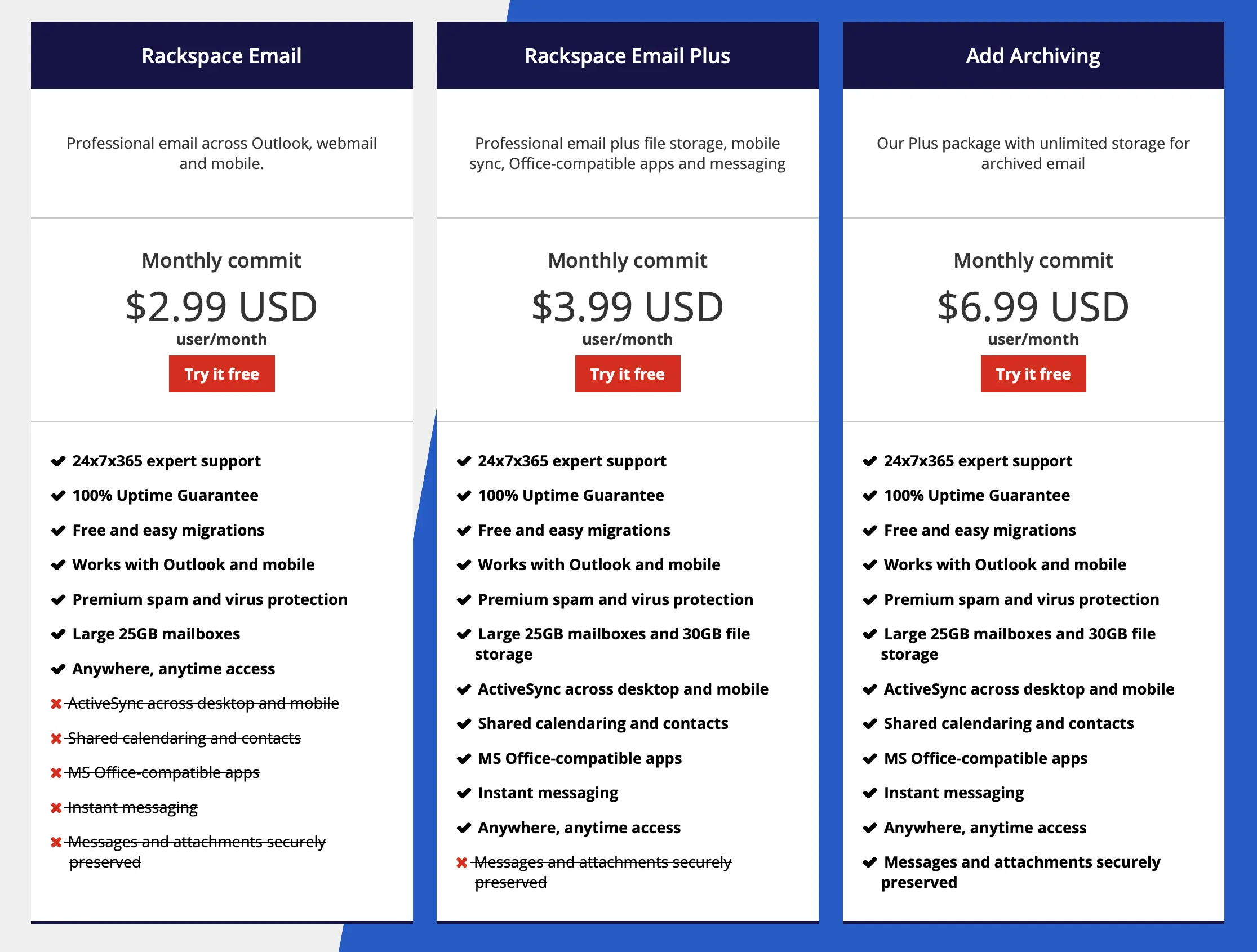
Choose A Plan
Before you start setting up Rackspace Business Email, you need to select the right plan that suits your organization’s needs. Consider factors of what features each plan provides to make an informed decision.
Rackspace MX Records
Setting up email authentication for your domain is advised to help prevent email spoofing or valid email messages being forwarded to a Spam/Junk folder. SPF and DKIM are the two most frequent types of email authentication DNS entries that may be added to your DNS.
Add the following DNS entries:
| Type | Name/Host | Priority | Value/Content |
|---|---|---|---|
| MX | Blank or @ | 10 | mx1.emailsrvr.com |
| MX | Blank or @ | 20 | mx2.emailsrvr.com |
Email Authentication
Setting up email authentication for your domain is advised to help prevent email spoofing or valid email messages being forwarded to a Spam/Junk folder. SPF and DMARC are the two most frequent types of email authentication DNS entries that may be added to your domain.
Add the following DNS entries:
| Type | Name | Value/Content | TTL |
|---|---|---|---|
| TXT | Blank or @ | v=spf1 include:emailsrvr.com ~all | Auto |
| TXT | _dmarc | v=DMARC1; p=quarantine | Auto |
| TXT | autodiscover | autodiscover.emailsrvr.com | Auto |
Email Migration (If applicable)
If you’re migrating from another email service to Rackspace Email, you’ll need to transfer your emails and contacts. Contact our sales and we can give you a quote on email migration.
Need WordPress Hosting?
Join us at Chkserv if you’re looking at creating a WordPress website or migrate an existing site. You can look at our hosting plans. When you host with Chkserv, we provide a FREE WordPress migration service, as well as DDoS and Bot protection.