
When a website that is served over a secure HTTPS connection attempts to load assets like photos, scripts, or stylesheets via an insecure HTTP connection, WordPress issues mixed content warnings.
This may occur if the website’s hardcoded URLs for these assets use HTTP rather than HTTPS. All assets should be loaded via HTTPS by altering the URLs to use the secure protocol in order to eliminate mixed content warnings.
How to fix?
Here are the steps to fix WordPress mixed content warnings:
- Identify the mixed content: Use a browser developer tool or a security scanning tool to identify the URLs that are causing the mixed content warnings.
- Update the URLs in your WordPress database: Manually replace any instances of “http://” with “https://” by using the find and replace function in PhpMyAdmin. Make sure to back up your database before making changes.
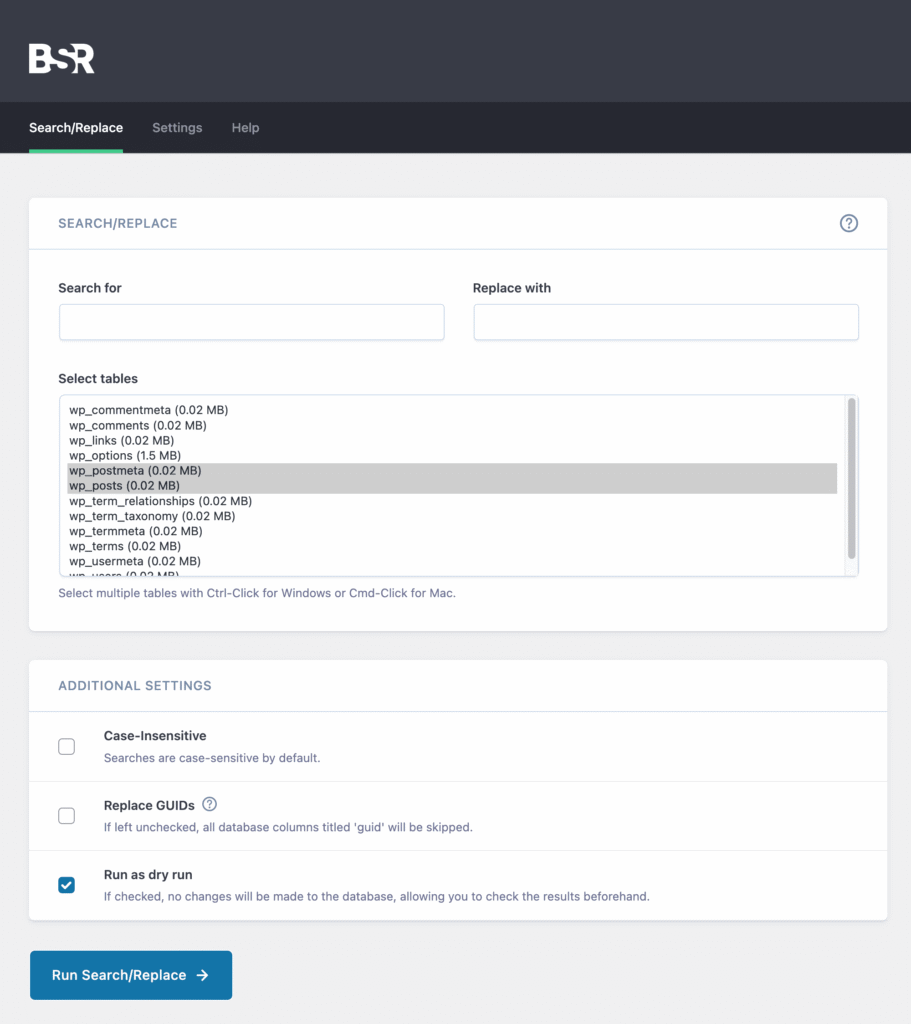
- Use a plugin: There are several WordPress plugins available that can help automatically fix mixed content warnings by searching your website and replacing “http://” with “https://” wherever necessary. My go-to plugin is Better Search Replace
- Check for hardcoded URLs in plugins: Some plugins may hardcode “http://” URLs into the plugin code. In this case, contact the plugin developer for an updated version or edit the plugin code yourself if you are comfortable doing so.
By following these steps, you should be able to resolve mixed content warnings on your WordPress website and ensure that your website is served securely over HTTPS. If you’re still getting these mixed content issues, double check by using this tool: Why No Padlock?