

This will be a quick tutorial, on how to re-generate your CSS in Elementor. Mixed content errors, probably trying to load your CSS files over http instead of https, is the common reason after installing an SSL certificate. Even by changing, your website domain might give out some errors.
Regenerate CSS
First thing you can do is regenerate CSS in Elementor and also clear your cache.
- Go to Elementor > Editor > Tools
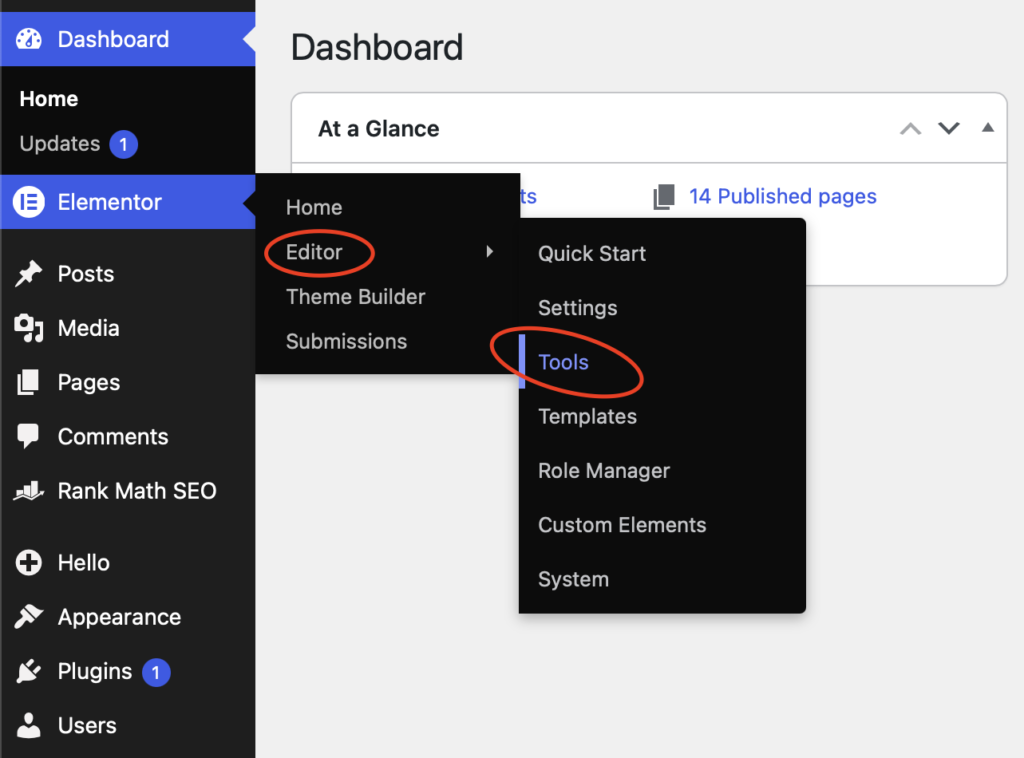
Then…
- General Tab
- Click “Clear Files & Data”
Your CSS styles should now look normal and your website working correctly.