
Why would I need to move blog entries? The domain of your website may have changed, you may have created a new website, or you may just be switching from another service to WordPress.
- Download the Export media with selected content plugin (I’ve personally tried this, and it works wonders) and install it on the website with the blog posts and images.

To export the blog-posts, tick “Export Media with selected content” and select a data Range, If Required. Then, on your new website, go to posts Importer.
Importing
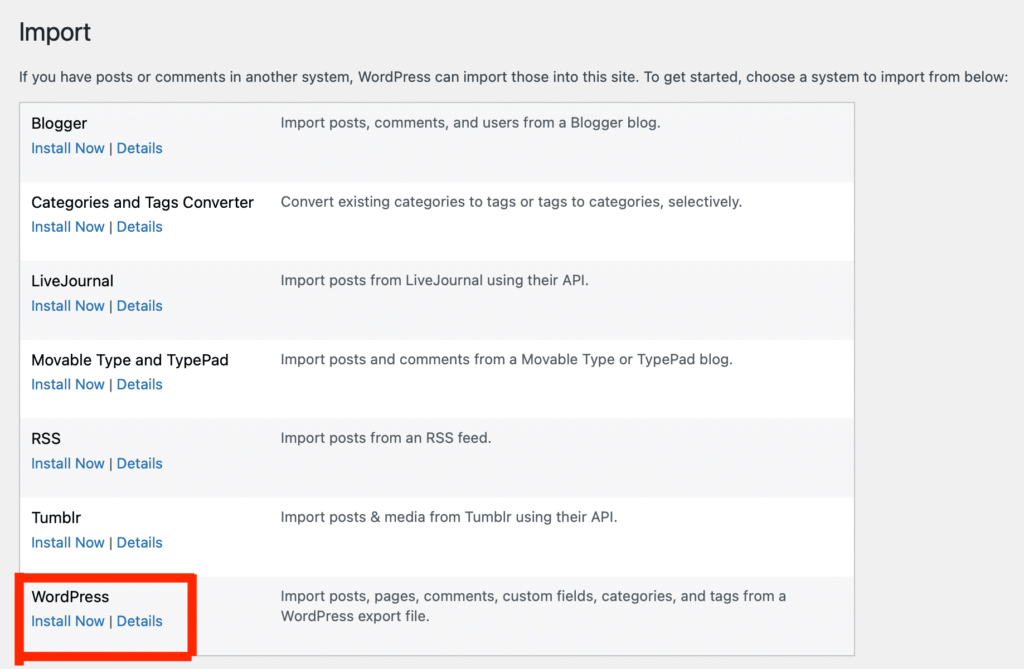
To import the blog-posts, head over to your new website. Then go to tools > Import.

Then install the WordPress Import feature. After install, it will change to run importer, click it.
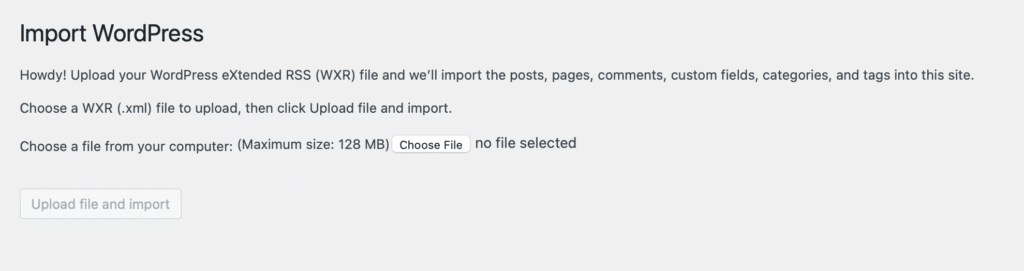
Then upload the file you generated from the first website, and click “Upload File and Import” The maximum file-size limit may vary depending on your PHP settings, you can change this by following this guide. Make sure it is more than the file’s size.
Once the upload is complete, you’re finished. You now have your blog posts images and any other media on your new website.